Skip to content
  • Events
  • Routes
ZwiftHacks
  • Home
  • Desktop ToolsExpand
    • Automate and save mouse clicksExpand
      • zwift-login
      • zwift-hotkeys
    • Other toolsExpand
      • TR-Z-move
  • Online ToolsExpand
    • Events on Zwift
    • Routes
  • Other thingsExpand
    • Top Tips & Tricks
    • Posts
    • Historic…Expand
      • Settings and route selectionExpand
        • zwift-preferences (for Windows)
        • ZwiftPref for macOS & Windows – Change world and other settings
      • Maps and Onscreen DisplaysExpand
        • ZwiftMap (macOS and Windows)
      • parse-zwift-logs
      • ZwUp – make Zwift topmost and transparent
      • The Whoa! Stopper
      • What is my Zwift ID?
      • MAP and FTP Calculator
      • Online workout editorExpand
        • Simple ZWO Creator
      • Updates
  • About…
  • Contact…
ZwiftHacks
  • zwift-preferences v22
    Update | Windows | zwift-preferences

    zwift-preferences v22

    ByJesper [ZwiftHacks] 2018-12-142019-08-15

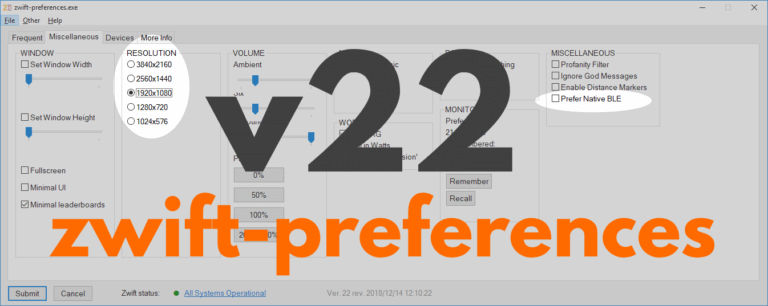
    zwift-preferences skips version 21 and jumps straight to version 22 with support for changing the preferred screen resolution and toggle the Prefer Native BLE setting on the Miscellaneous tab. Download the update Get the new version 22 over at the zwift-preferences page.
    Read More zwift-preferences v22Continue

  • A new version of ZwiftMap Preview is ready…
    Windows | ZwiftMap

    A new version of ZwiftMap Preview is ready…

    ByJesper [ZwiftHacks] 2018-11-052018-11-13

    Update 2018-11-13: Version 2.0.0-preview.4 uploaded (fixes missing roads in the ZwiftGPS map) Update 2018-11-05: Version 2.0.0-preview.2 uploaded The ZwiftMap Preview has a new version. You can find the download link in the original announcement post (see below). This is probably almost ready to become an official version for both Windows and macOS. What remains is mostly…

    Read More A new version of ZwiftMap Preview is ready…Continue

  • zwift-preferences v20
    Update | Windows | zwift-preferences

    zwift-preferences v20

    ByJesper [ZwiftHacks] 2018-10-31

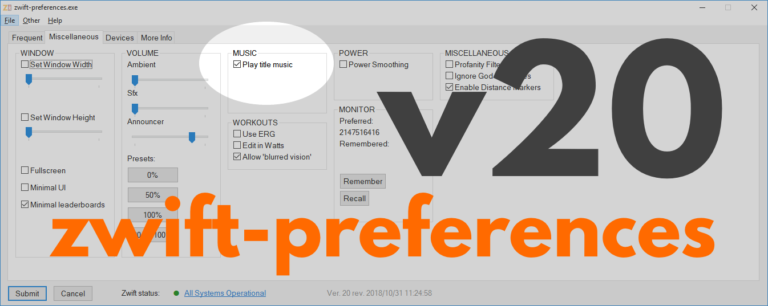
    With zwift-preferences version 20 the new Title Music setting can be toggled on the Miscellaneous tab. This replaces the old hack to suppress the startup music in Zwift. This is the only change in this version. Download the update Get the new version 20 over at the zwift-preferences page.  
    Read More zwift-preferences v20Continue

  • Hack for Acrophobics: No More Glass Roads in New York City
    Hacks | macOS | Zwift Insider

    Hack for Acrophobics: No More Glass Roads in New York City

    ByJesper [ZwiftHacks] 2018-10-242018-10-24

    Hack for Acrophobics: No More Glass Roads in New York City Hack for Acrophobics: No More Glass Roads in New York City — Read on zwiftinsider.com/no-glass-roads/ Read about the NoMoreGlassRoads hack by Jonathon Levie at Zwift Insider. It has instructions for Windows. For macOS the corresponding location to put the files would be ~/Library/Application Support/Zwift/data/Environment/Road…

    Read More Hack for Acrophobics: No More Glass Roads in New York CityContinue

  • ZwiftPref is updated with New York and run course selection
    macOS | Update | Windows | ZwiftPref

    ZwiftPref is updated with New York and run course selection

    ByJesper [ZwiftHacks] 2018-10-232019-12-23

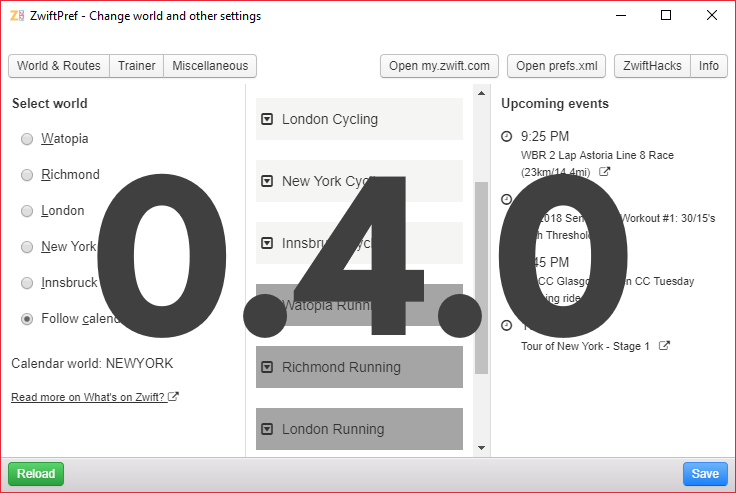
    If you want more of New York when the calendar switches to Watopia in a couple of days, now may be a good time to get the new version 0.4.0 of ZwiftPref. Of course it lets you choose any of the five worlds It also lets you choose both cycling and running routes Besides that this…

    Read More ZwiftPref is updated with New York and run course selectionContinue

  • Select any world and route with zwift-preferences v19
    Update | Windows | zwift-preferences

    Select any world and route with zwift-preferences v19

    ByJesper [ZwiftHacks] 2018-10-232018-10-23

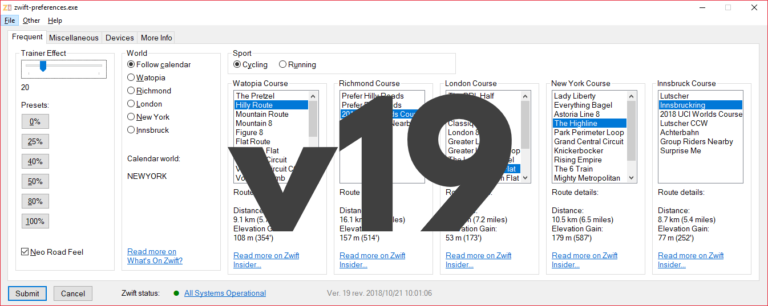
    With zwift-preferences version 19 you can choose any of the five world including New York. It also handles route selection for both cycling and running. The ‘Sport’ toggle also determines which pairing screen (cycling or running) will be shown in-game at launch. Selecting routes/courses Depending on the setting ‘Sport’ (cycling or running) you can choose cycling…

    Read More Select any world and route with zwift-preferences v19Continue

  • ZwiftMap Preview – step by step
    Windows | ZwiftMap

    ZwiftMap Preview – step by step

    ByJesper [ZwiftHacks] 2018-10-162020-04-25

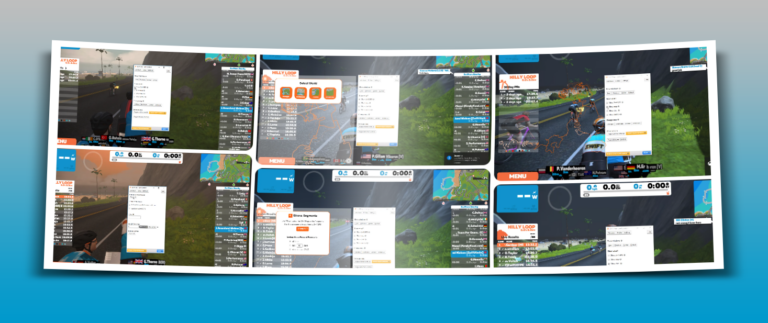
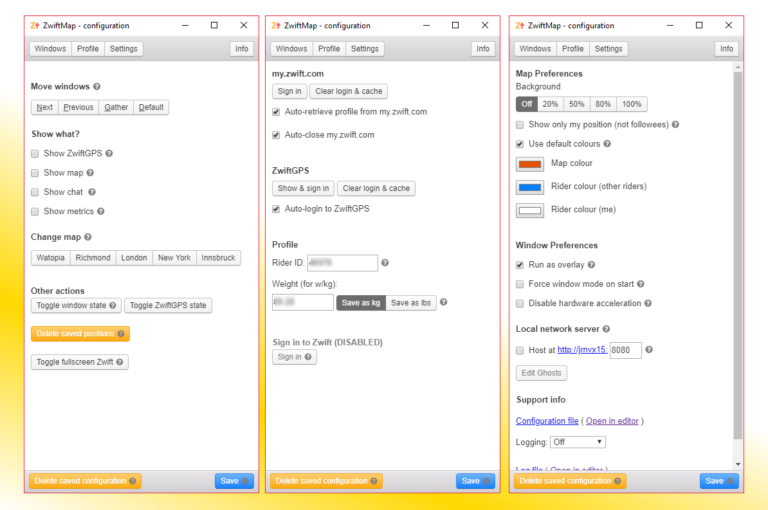
    This gallery shows how to find your Zwift ID and activate the different windows of ZwiftMap, including the ZwiftGPS map. 

    Read More ZwiftMap Preview – step by stepContinue

  • Improved filters and searches
    Web

    Improved filters and searches

    ByJesper [ZwiftHacks] 2018-09-272019-12-23

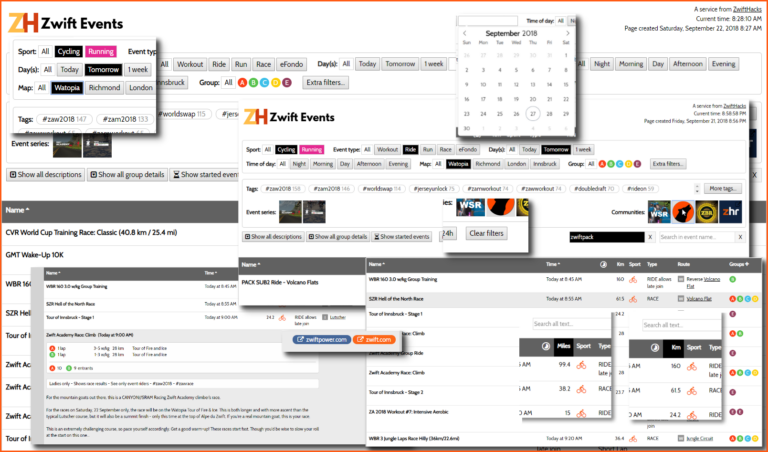
    Find it on the Events page – or click the image to see the examples in larger scale.

    Read More Improved filters and searchesContinue

  • Remember or forget the controllable trainer with v18 of zwift-preferences – the choice is yours
    Update | Windows | zwift-preferences

    Remember or forget the controllable trainer with v18 of zwift-preferences – the choice is yours

    ByJesper [ZwiftHacks] 2018-09-202018-09-20

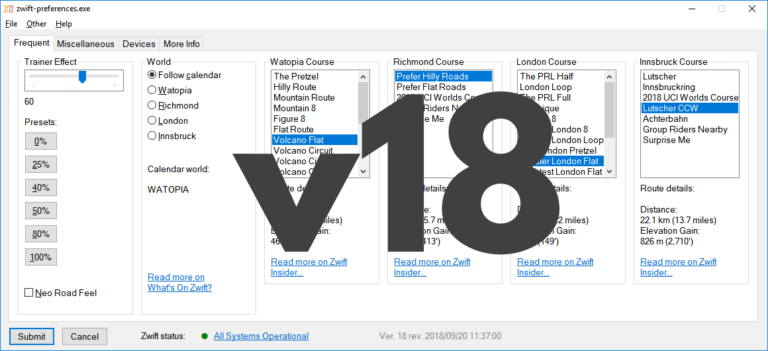
    zwift-preferences introduces a new ‘Devices’ tab where you can see which devices are stored in prefs.xml. You can also remove the controllable trainer from the list and later add it back to it. The Trainer Effect slider has been tweaked a bit, too. Remember/Recall the controllable trainer The Remember/Unpair/Recall buttons are useful because you won’t have…

    Read More Remember or forget the controllable trainer with v18 of zwift-preferences – the choice is yoursContinue

  • zwift-login version 17
    AutoHotkey | Update | Windows | zwift-login

    zwift-login version 17

    ByJesper [ZwiftHacks] 2018-09-172018-09-17

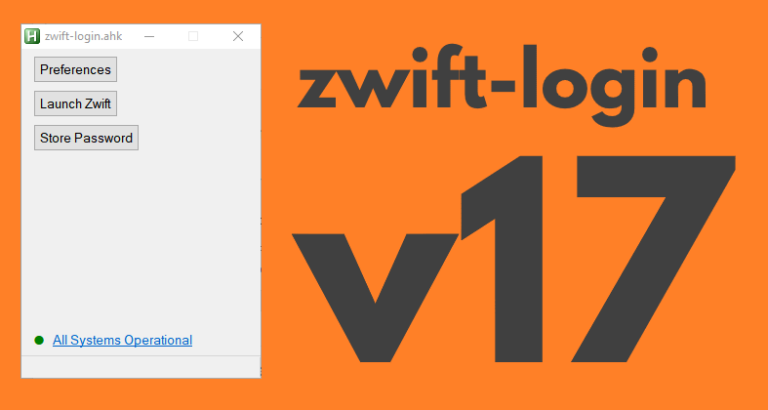
    zwift-login now shows warning icons if a specific world is set or minimal_ui is enabled in prefs.xml The new version also checks if ZwiftLauncher is running elevated at launch, when launching Zwift, and when pressing “Close launcher”.  This helps in making zwift-login more robust after Zwift itself has been updated. The button “Restart launcher” is renamed…

    Read More zwift-login version 17Continue

Page navigation

Previous PagePrevious 1 … 9 10 11 12 13 … 19 Next PageNext

Tools from ZwiftHacks

  • zwift-login
  • TR-Z-move
  • zwift-hotkeys

Who runs ZwiftHacks?

This site is run by Jesper Rosenlund Nielsen, a Zwift rider since 2015, and is not affiliated with the Zwift company in any way.

You can find Zwift (the company) at zwift.com

ZwiftHacks is also at various social media:

  • Facebook
  • Mastodon

Meta

  • Log in
  • Entries feed
  • Comments feed
  • WordPress.org
  • About…
  • Friends of the House
  • Contact…

© Jesper Rosenlund Nielsen © 2016-2026 - WordPress Theme by Kadence WP

Scroll to top
  • Home
  • Desktop Tools
    • Automate and save mouse clicks
      • zwift-login
      • zwift-hotkeys
    • Other tools
      • TR-Z-move
  • Online Tools
    • Events on Zwift
    • Routes
  • Other things
    • Top Tips & Tricks
    • Posts
    • Historic…
      • Settings and route selection
        • zwift-preferences (for Windows)
        • ZwiftPref for macOS & Windows – Change world and other settings
      • Maps and Onscreen Displays
        • ZwiftMap (macOS and Windows)
      • parse-zwift-logs
      • ZwUp – make Zwift topmost and transparent
      • The Whoa! Stopper
      • What is my Zwift ID?
      • MAP and FTP Calculator
      • Online workout editor
        • Simple ZWO Creator
      • Updates
  • About…
  • Contact…
Search