New events page (Beta version)
Playing with a new event page which should be mobile friendly but also good on large screens:
http://zwifthacks.com/app/events/beta/


Playing with a new event page which should be mobile friendly but also good on large screens:
http://zwifthacks.com/app/events/beta/

It is Fondo time again, and this time on three new fondo routes.
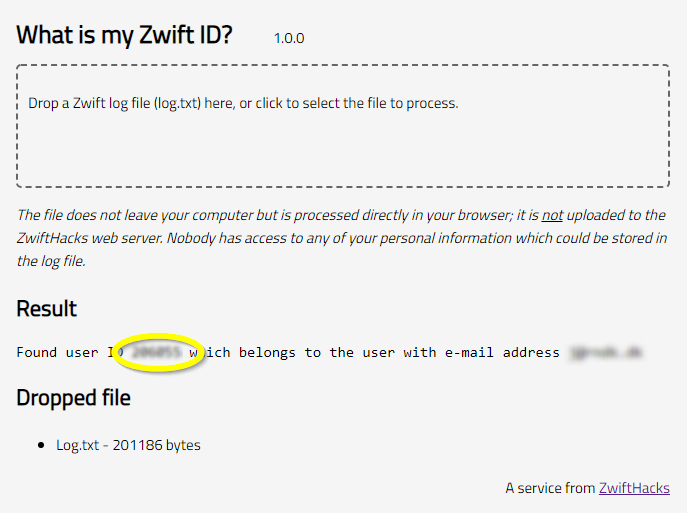
The log file holds the truth – or at least it contains your Zwift user ID hidden among the many log lines. The log file format changes sometimes so the app at https://zwifthacks.com/app/id/ has been updated (now at version 1.1.0) work with the most recent format. The app helps finding your Zwift user ID in log.txt,…

The new (for now) event-only world Scotland is here. The routes pages shows the details and have animated maps of each of the new routes. The events you can join are here: https://zwifthacks.com/app/events/?key=647f0163c4a2f

These are the scheduled events on Makuri Islands: https://zwifthacks.com/app/events/?key=60a6c1cb075ac
This is just a small service announcement: zwifthacks.com now uses https throughout the site. If you experience any problems your feedback is much appreciated! Regards, Jesper
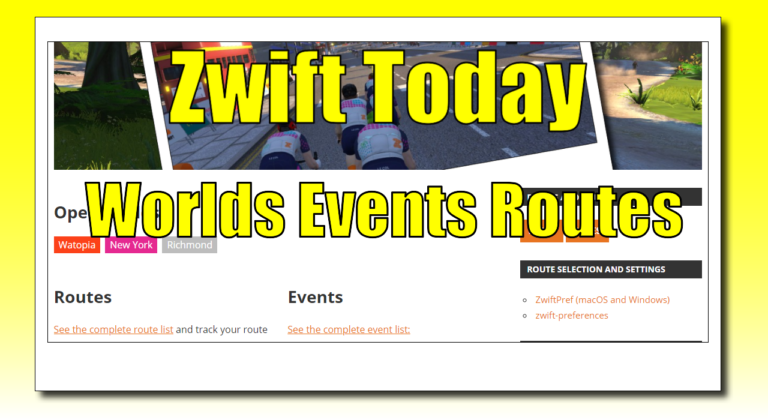
Which worlds are open today? Which events can I join today? What are the routes available in the open worlds? These questions can be answered from the new Zwift Today page with the easy to remember URL zwifthacks.com/today
Big improvement Jesper, well done.
Thanks.
Under event type what does “w/lj” mean?
lj = late join
Duh….. thank you
Hi. Sorry, I’m new to Zwift, still trying to figure everything out. Is there an IOS app for ZwiftHacks, or do I access the events page through the web? Can I join an event from the ZwiftHacks events page, then access the event when signing into Zwift, for the ride (from my laptop/PC)? Thank you.
Hi Bonnie,
There is no separate app but the page is designed to be used also in Safari or another browser for iOS. Personally, I have bookmarked it with a shortcut straight on the home sceen of my iPhone – it makes it easy to open when I need it.
For each event there is an orange button with the text ‘zwift.com’. Click that and on an iOS device it will open the same event description in Zwift Companion App where you can sign up for the event. On a computer it will instead open Zwift’s event page in your browser and you can sign up there. When you have signed up like that, either way you can access the event when signing into Zwift for the ride.
Figured ZwiftHacks was the place to look for an Events calendar. Was hoping for integration with Outlook but, this is great. Created a page on the home screen and it’s as if you built an App. Great job and thanks.