Skip to content
  • Events
  • Routes
ZwiftHacks
  • Home
  • Desktop ToolsExpand
    • Automate and save mouse clicksExpand
      • zwift-login
      • zwift-hotkeys
    • Other toolsExpand
      • TR-Z-move
  • Online ToolsExpand
    • Events on Zwift
    • Routes
  • Other thingsExpand
    • Top Tips & Tricks
    • Posts
    • Historic…Expand
      • Settings and route selectionExpand
        • zwift-preferences (for Windows)
        • ZwiftPref for macOS & Windows – Change world and other settings
      • Maps and Onscreen DisplaysExpand
        • ZwiftMap (macOS and Windows)
      • parse-zwift-logs
      • ZwUp – make Zwift topmost and transparent
      • The Whoa! Stopper
      • What is my Zwift ID?
      • MAP and FTP Calculator
      • Online workout editorExpand
        • Simple ZWO Creator
      • Updates
  • About…
  • Contact…
ZwiftHacks
  • Group workout graphs and more
    Events | Web | Website

    Group workout graphs and more

    ByJesper [ZwiftHacks] 2018-01-26

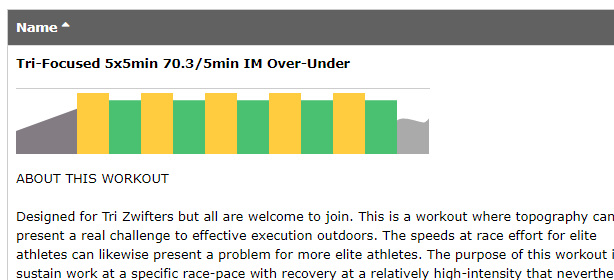
    If you wonder what your next group workout will be like the events list at https://zwifthacks.com/app/events gives you a quick overview of the workout with nifty graps for all group workouts. You can also filter the list by type of event – it makes it much simpler to find just the right event for you to…

    Read More Group workout graphs and moreContinue

  • Even better fix for TrainerRoad minimal mode with Zwift
    TR-Z-move | Windows

    Even better fix for TrainerRoad minimal mode with Zwift

    ByJesper [ZwiftHacks] 2018-01-23

    TR-Z-move has been updated so it can monitor the TrainerRoad and Zwift windows continously and move/resize them without having to press the ‘Position windows’ button. It can also remove the border around Zwift for a cleaner look.   How to use If you use the ‘Watch for changes’ option it doesn’t matter in which sequence…

    Read More Even better fix for TrainerRoad minimal mode with ZwiftContinue

  • A quick update to the online workout editor
    Update | Web | Website | Workouts

    A quick update to the online workout editor

    ByJesper [ZwiftHacks] 2018-01-10

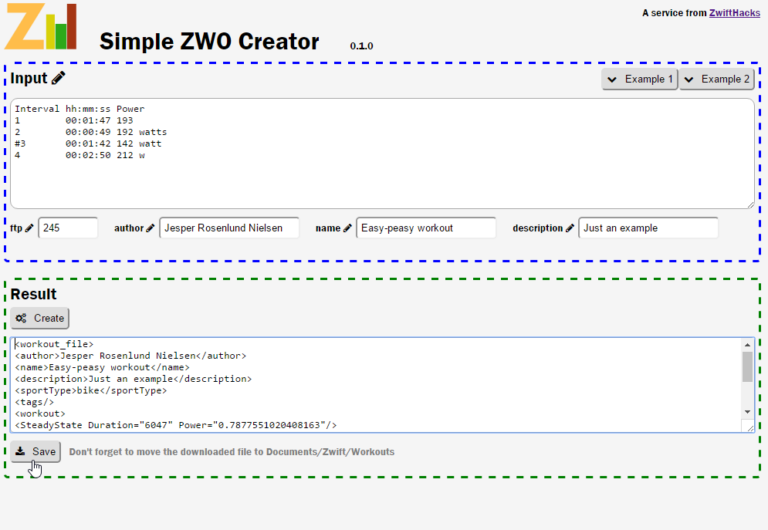
    Now it is possible to enter a zone number from 1 to 6, too. The format must be e.g. z1, Z3, or simply 6. In general, if the ‘power’ number is less than or equal to 6, it will be interpreted as a zone. See example 2 in the online workout editor. The zones are the same as…

    Read More A quick update to the online workout editorContinue

  • Use zones in the online workout editor
    Web | Workouts

    Use zones in the online workout editor

    ByJesper [ZwiftHacks] 2018-01-102018-01-10

    The online ZWO editor gives you an easy way to create a workout with predefined steps given duration and power target. It has just been updated such that the power target can be either an absolute number (in watt) or a percentage of FTP (this is the new bit). A quick update, 8 hours later:  I…

    Read More Use zones in the online workout editorContinue

  • ZwiftMap updated with new London routes
    London | macOS | Update | Windows | ZwiftMap

    ZwiftMap updated with new London routes

    ByJesper [ZwiftHacks] 2018-01-082018-08-02

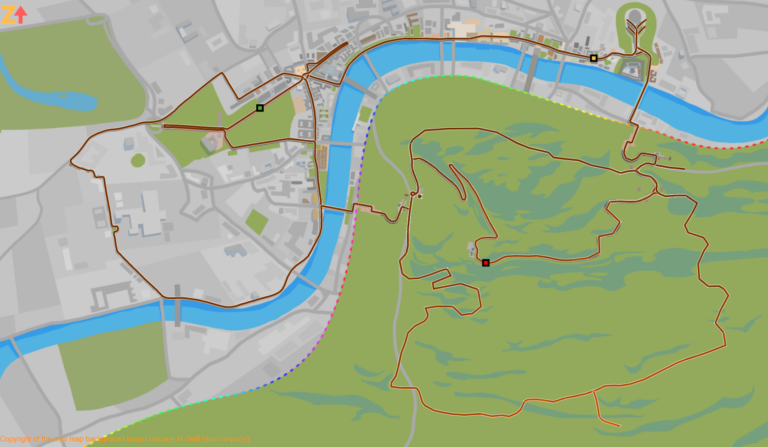
    The London map in ZwiftMap has just been updated with the new stretches of road. You don’t have to download any software to get the new map – it is retrieved automatically by Zwiftmap.

    Read More ZwiftMap updated with new London routesContinue

  • New London routes
    iOS | London | macOS | Website | Windows | zwift-preferences | ZwiftPref

    New London routes

    ByJesper [ZwiftHacks] 2018-01-072018-08-02

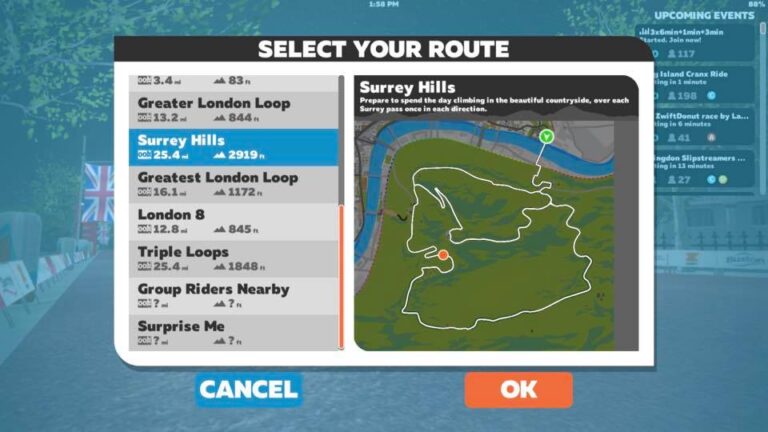
    There are three new London routes in the new version 1.0.22839 (released for iOS today and eagerly awaited for macOS and Windows – it will probably happen before London is in rotation Tuesday). Edit: Version 1.0.22878 has been released for Windows The three routes are: Surrey Hills 40.8 km 890 m 25.4 mi 2919 ft https://zwifthacks.com/app/routes/?filter=Surrey%20Hills…

    Read More New London routesContinue

  • Filter events by Event Series
    Events | Web | Website

    Filter events by Event Series

    ByJesper [ZwiftHacks] 2018-01-07

    The events list at https://zwifthacks.com/app/events can be filtered to show only the events in one of the ongoing events series. Just press one of the theme buttons near the top of the page.

    Read More Filter events by Event SeriesContinue

  • Fix TrainerRoad minimal mode and arrange the Zwift window above it
    TR-Z-move | Windows

    Fix TrainerRoad minimal mode and arrange the Zwift window above it

    ByJesper [ZwiftHacks] 2018-01-072018-01-07

    TR-Z-move solves two problems: There is a bug in the current version of TrainerRoad when running on a secondary screen in minimal mode. The workout instructions will still be displayed on your primary screen and not on the same screen as the workout window itself. TR-Z-move fixes this. I want to arrange the Zwift window…

    Read More Fix TrainerRoad minimal mode and arrange the Zwift window above itContinue

  • 12 Days of Zwiftmas Events
    Events | Web | Website

    12 Days of Zwiftmas Events

    ByJesper [ZwiftHacks] 2017-12-232017-12-23

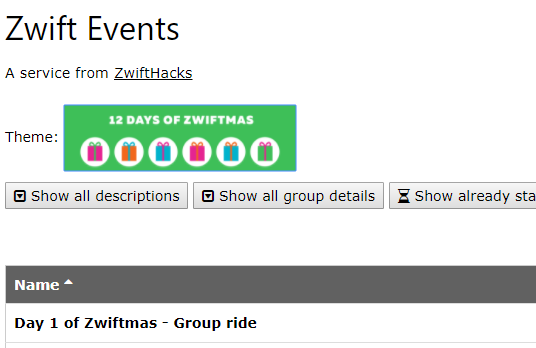
    Will you be taking part in the 12 Days of Zwiftmas? The events list at https://zwifthacks.com/app/events can quickly give you a list of the 12 Days of Zwiftmas events. Just press the button which says (… drumroll …) ‘12 Days of Zwiftmas’. Ta-da!

    Read More 12 Days of Zwiftmas EventsContinue

  • Zwift for Apple TV Picks Up the Pace — ZwiftBlog
    Tips & Tricks | tvOS | Zwift Insider

    Zwift for Apple TV Picks Up the Pace — ZwiftBlog

    ByJesper [ZwiftHacks] 2017-12-172017-12-17

    The second batch of Apple TV tips and tricks posted on ZwiftBlog: All the latest hacks, bugs, and updates for Apple TV Zwifters. via Zwift for Apple TV Picks Up the Pace — ZwiftBlog

    Read More Zwift for Apple TV Picks Up the Pace — ZwiftBlogContinue

Page navigation

Previous PagePrevious 1 … 13 14 15 16 17 … 19 Next PageNext

Tools from ZwiftHacks

  • zwift-login
  • TR-Z-move
  • zwift-hotkeys

Who runs ZwiftHacks?

This site is run by Jesper Rosenlund Nielsen, a Zwift rider since 2015, and is not affiliated with the Zwift company in any way.

You can find Zwift (the company) at zwift.com

ZwiftHacks is also at various social media:

  • Facebook
  • Mastodon

Meta

  • Log in
  • Entries feed
  • Comments feed
  • WordPress.org
  • About…
  • Friends of the House
  • Contact…

© Jesper Rosenlund Nielsen © 2016-2026 - WordPress Theme by Kadence WP

Scroll to top
  • Home
  • Desktop Tools
    • Automate and save mouse clicks
      • zwift-login
      • zwift-hotkeys
    • Other tools
      • TR-Z-move
  • Online Tools
    • Events on Zwift
    • Routes
  • Other things
    • Top Tips & Tricks
    • Posts
    • Historic…
      • Settings and route selection
        • zwift-preferences (for Windows)
        • ZwiftPref for macOS & Windows – Change world and other settings
      • Maps and Onscreen Displays
        • ZwiftMap (macOS and Windows)
      • parse-zwift-logs
      • ZwUp – make Zwift topmost and transparent
      • The Whoa! Stopper
      • What is my Zwift ID?
      • MAP and FTP Calculator
      • Online workout editor
        • Simple ZWO Creator
      • Updates
  • About…
  • Contact…
Search